


New promotion types are now available to boost your listing on VRBO.
Follow this path: Rooms/Apartments → Edit (on the listing connected to VRBO) → Channel Manager → Configure → VRBO → Rates
From here, click Add New to create a new promotion.
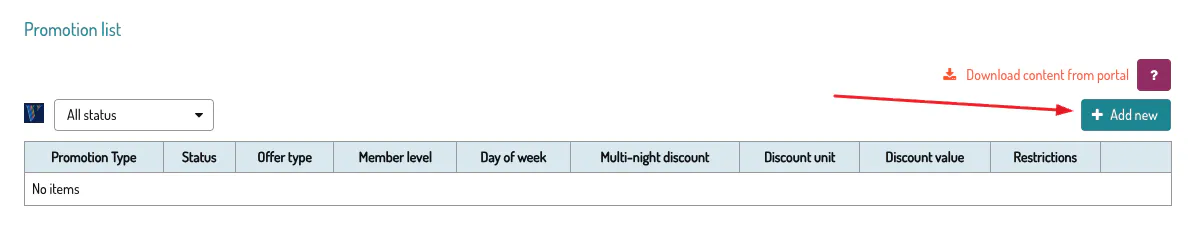
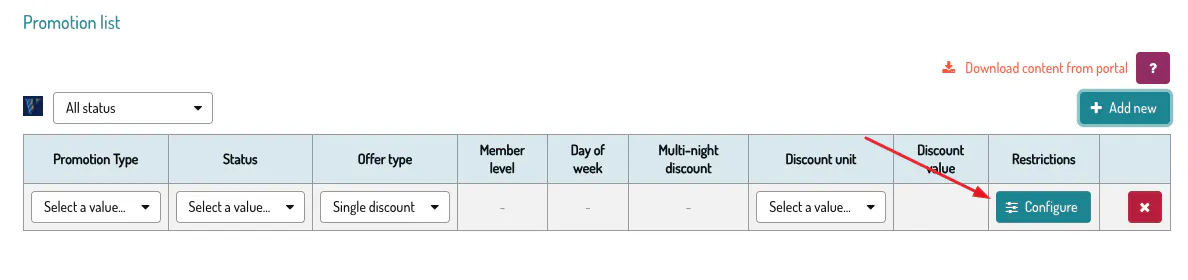
Choose the type of promotion you want to create:
New Listing – ideal for newly published properties
Last Minute – for short-notice bookings
Mobile Only – visible only to smartphone users
Early Booking – to incentivize guests who book well in advance
Discount Type
Available For
Single discount (flat rate per night)
Early Booking, Last Minute, Mobile Only, New Listing
Day-of-week discount (e.g. Monday 10%, Tuesday 12%)
Early Booking, Last Minute, Mobile Only
Multi-night discount (e.g. every third night at 30%)
Early Booking, Last Minute, Mobile Only
Tiered discount
Member Only
⚠️ For day-of-week discounts, all days must use the same format: either percentage only or fixed amount only — never mixed.
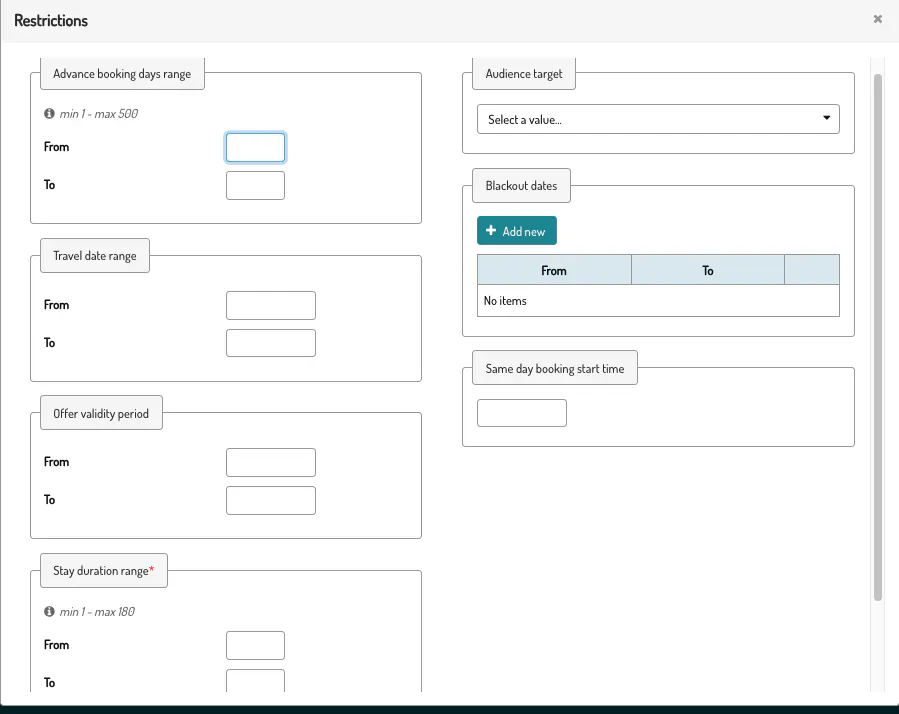
Once you have chosen the promotion type and discount type, enter the discount amount. If needed, you can apply additional restrictions by clicking the designated button.
🕐 Early Booking
Booking must occur between 60 and 500 days before check-in
Minimum discount: 1%
The booking window must be specified
The discount applies only to nights falling within the specified window, not to the entire stay
⚡ Last Minute
Booking must occur between 0 and 30 days before check-in
Minimum discount: 1%
The booking window must be specified
The discount applies only to nights falling within the specified window, not to the entire stay
🏠 New Listing
Percentage discounts only (no fixed amounts)
Minimum discount: 10%
Only single discount type allowed (flat per night)
A booking window cannot be specified
📱 Mobile Only
Minimum discount: 1%
Can be created as a standalone mobile-only promotion or added as a mobile target to an existing promotion
🔑 Member Only
Percentage discounts only (no fixed amounts)
Only tiered discount type is supported, one per OneKey tier
Percentages must be unique and increasing: Blue < Silver < Gold
Minimum discounts per tier: Blue 10%, Silver 11%, Gold 12%
Maximum discount for all tiers: 75%
If you set a discount for Gold, you must also set one for Silver
If you set a discount for Silver, you must also set one for Blue
Promotions can cover a maximum period of 500 days
VRBO always applies one promotion at a time — the one with the highest discount
Long-stay discounts (weekly or monthly) stack with one promotion at a time
Day-of-week discounts are not compatible with Member Only promotions
To apply a discount to a single specific night, use the day-of-week type or the non-recurring multi-night type
To create a permanent promotion with no expiration date:
Set the stay end date to 2079-06-06
Do not specify any booking date window
🐙
