

Do your guests need to read and sign a rental agreement in order to stay at your accommodation? In this guide, we will explain how to set it up!
First of all, you will have to create a Template*, by selecting Mail with attachment (Rental agreement) as Type and customizing the Text 📃
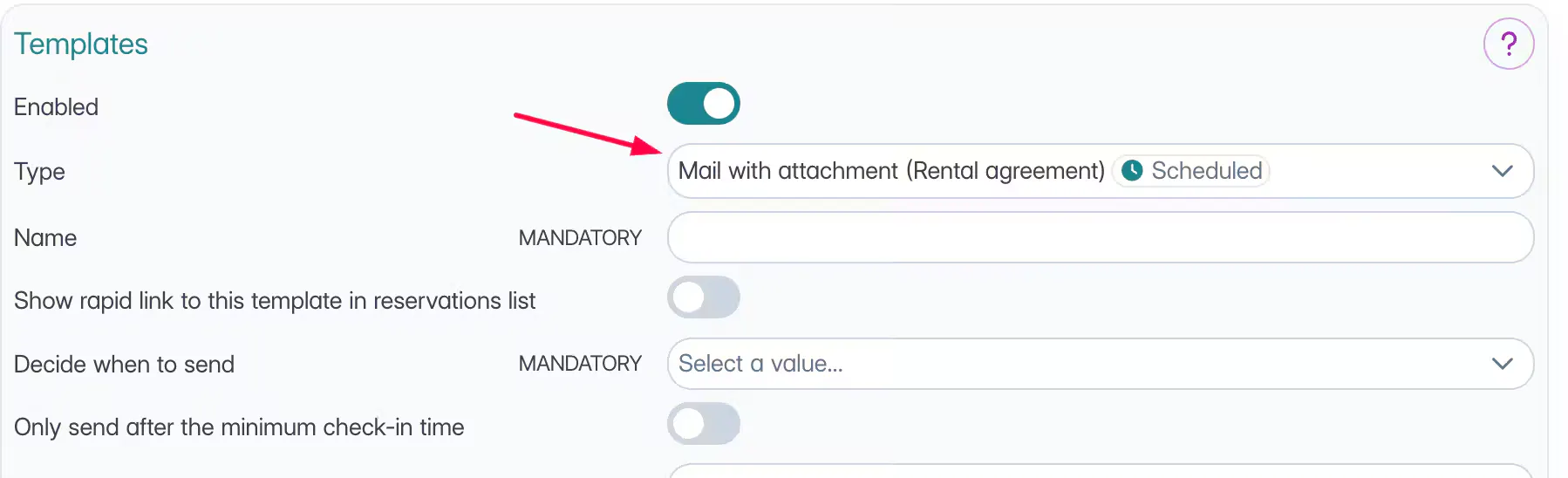
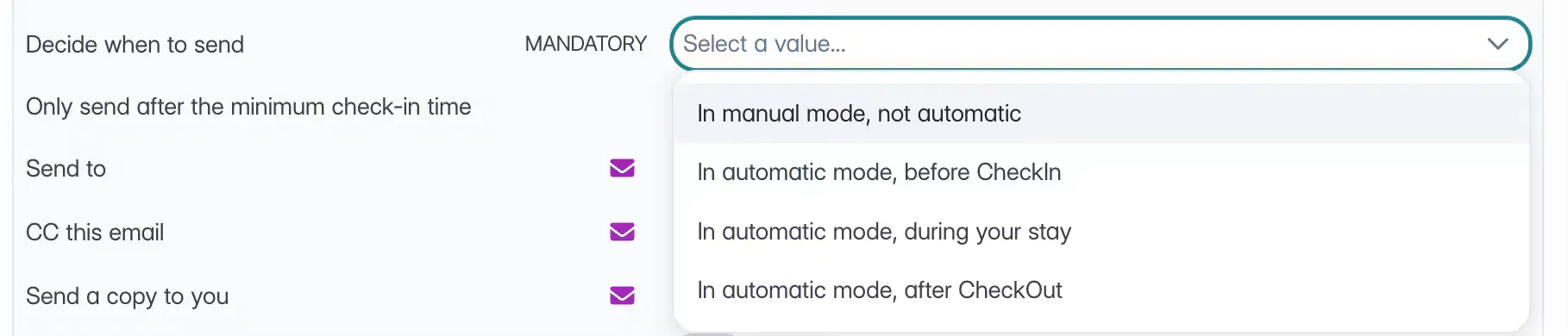
You will need to choose whether and when to send the template or whether to use it only for signing in the webconcierge.
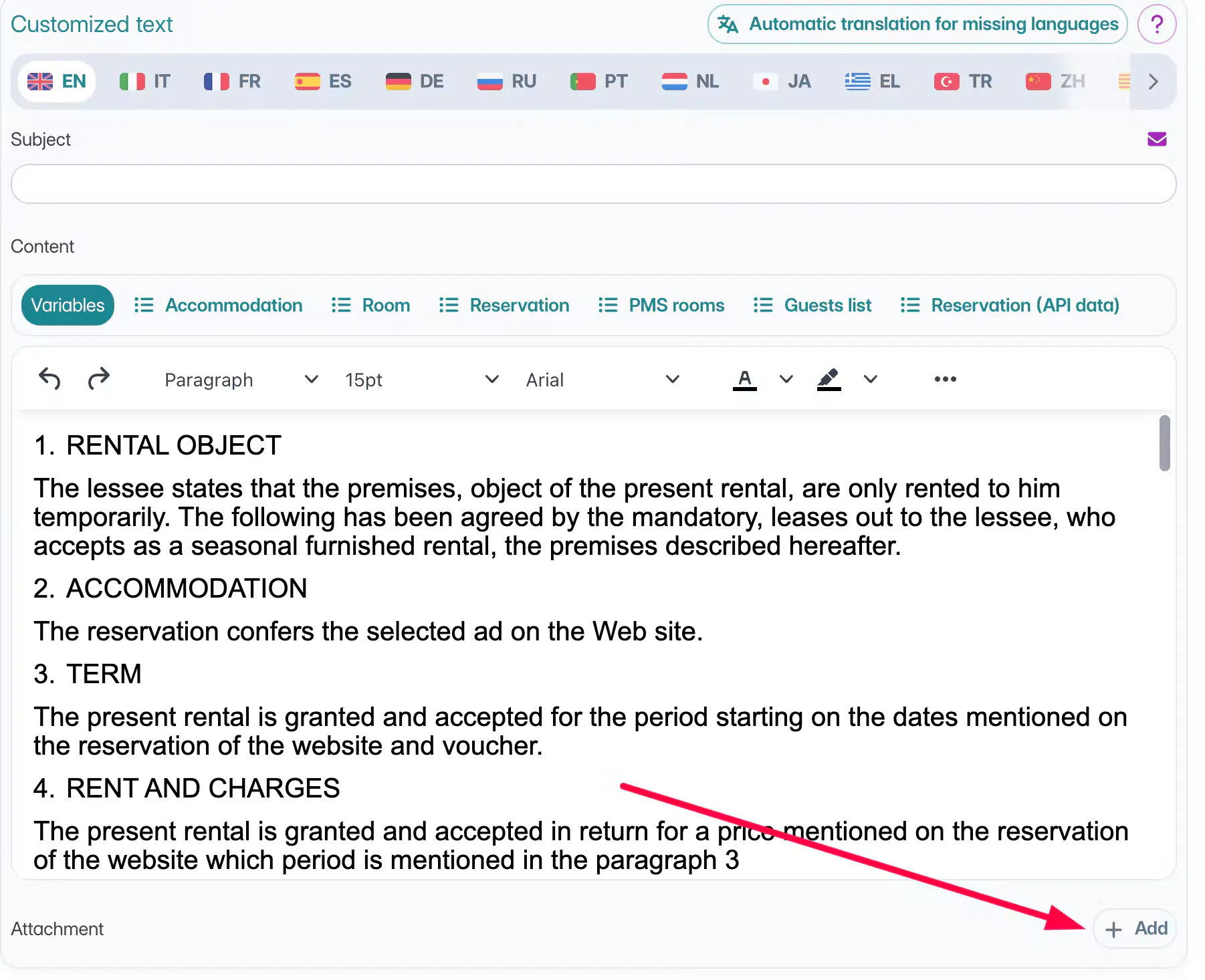
Once saved, in the custom text section, you can upload a PDF attachment for each language you need.
Access the Marketing > WebConcierge section, then.
Activate the option to allow your customers sign the contract through the WebConcierge 🖋️
Choose the contract you wish to display online (the template we created*) 📃
Customize the Label** that will be displayed on the WebConcierge. 🏷️
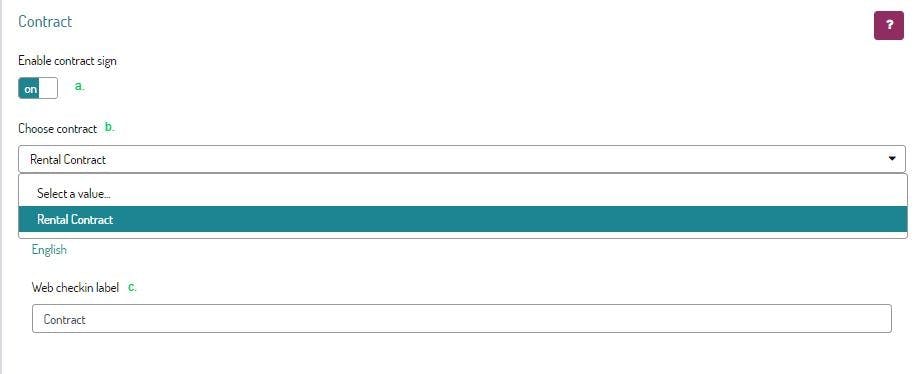
Save at the bottom of the page
---
Once the customer is in the WebConcierge, your customers can click on the Label** to read the text of the contract,
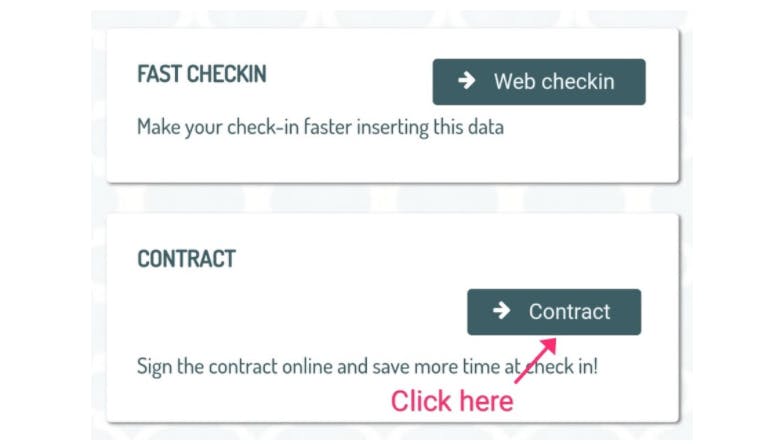
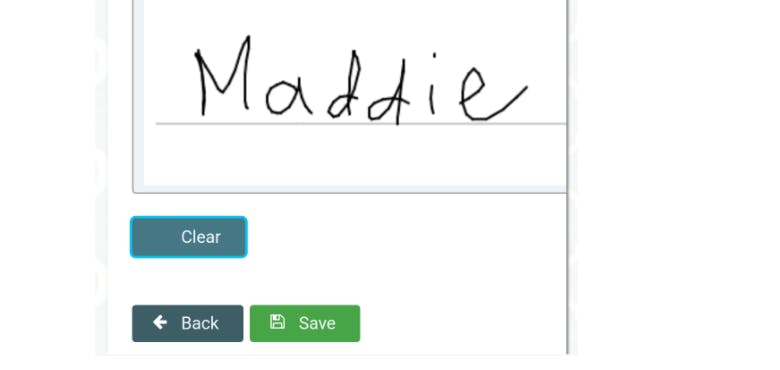
sign it right from their Smartphone 📱 and Save it.
---
You will find the saved and signed contract, right in the details of the reservation.

NOTE: It will not be possible to download rental contacts after the check-out date.
---
Talk to you soon!
🐙
