

Civitatis is the platform that allows you to offer your guests experiences and services to personalize their stay!
If you want to activate an account on Civitatis you can register at the link 👇
https://www.civitatis.com/en/accomodation/register/?cmp=Octorate
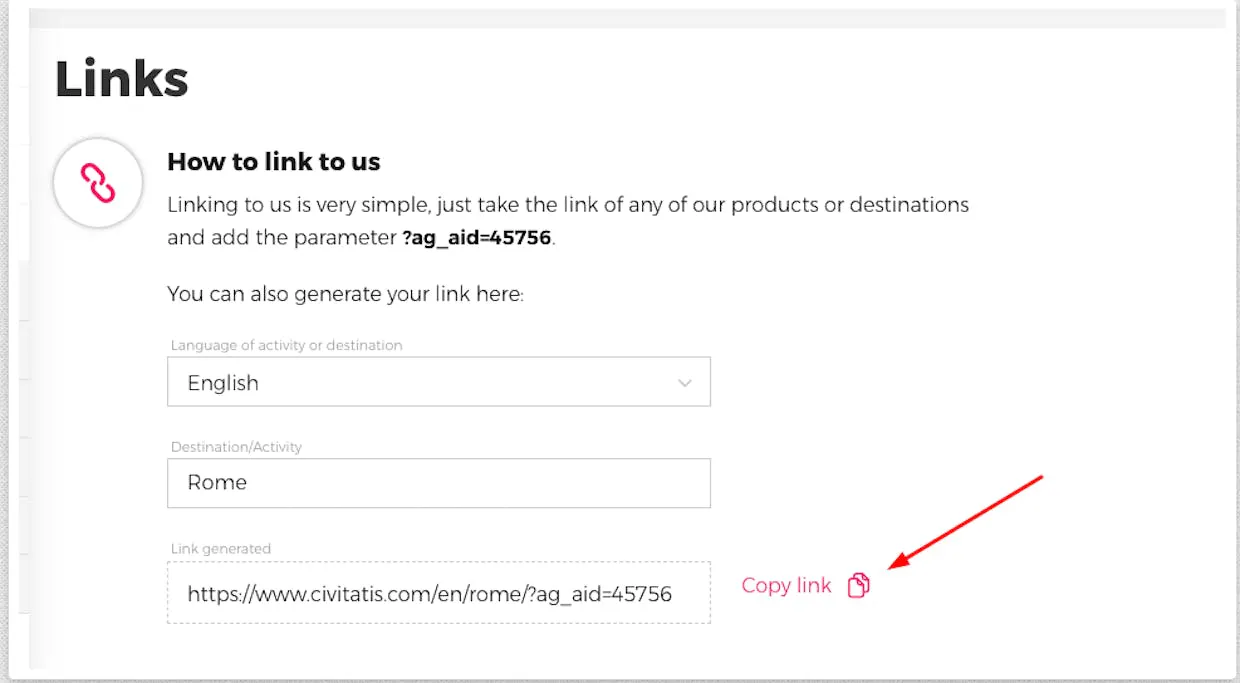
Once you have created your account on the platform, you will finally be able to let your guests know about the possibility of booking experiences and other services by sending them a link via email template.
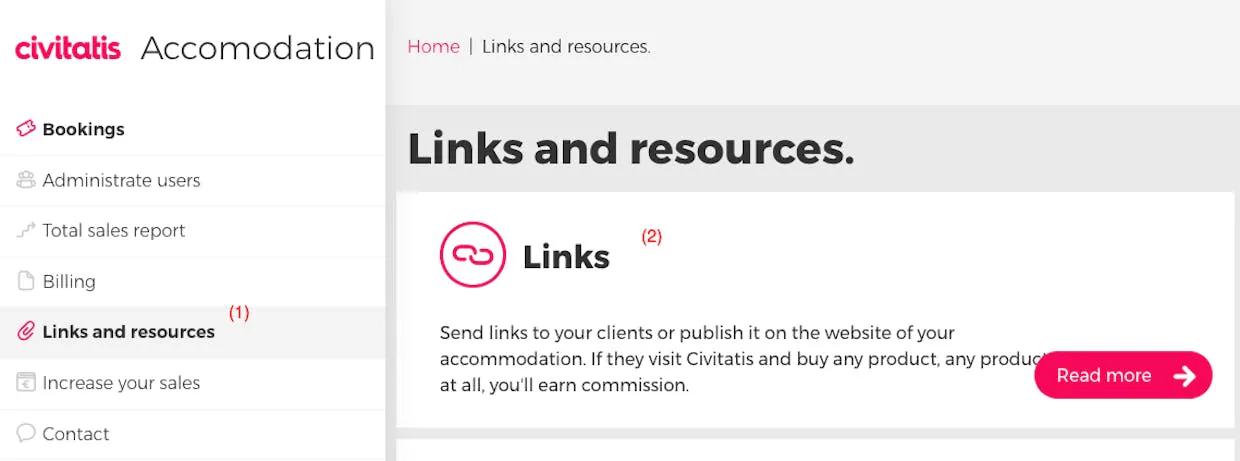
To generate a link, in your Civitatis account you will need to click on 'Links and resources' (1) > and then on 'Links' (2)
Moreover, you can create a widget to show the activities to sell directly on your website.
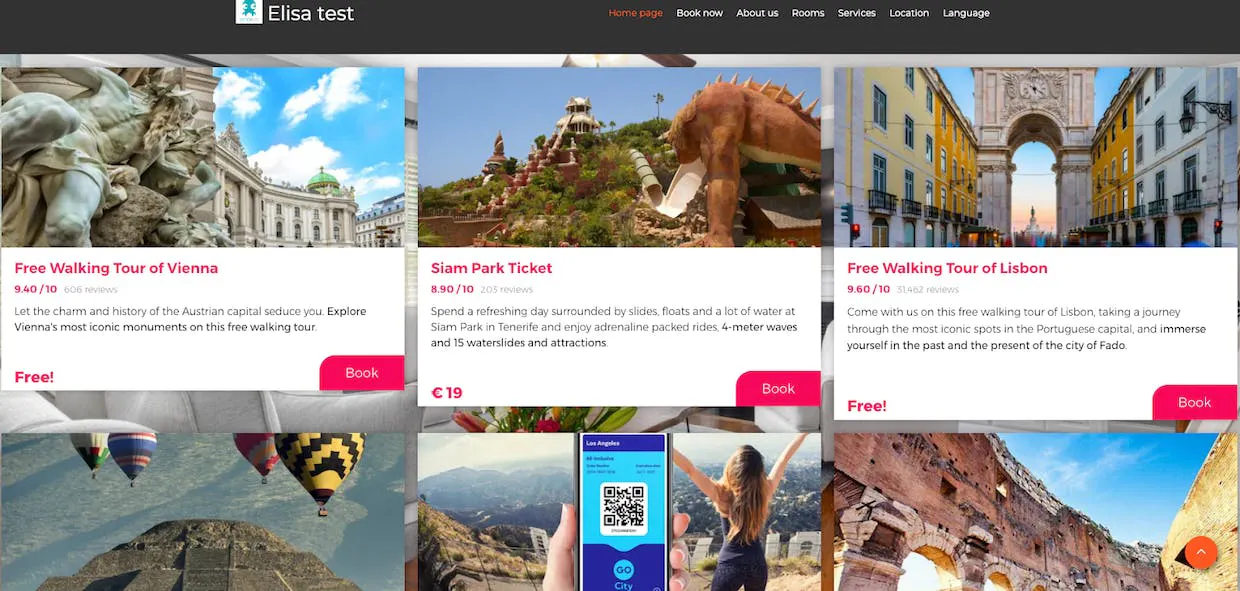
To do this you will need to configure the widget in your Civitatis account.
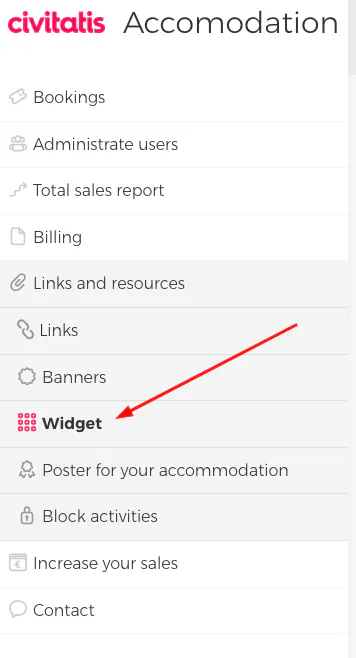
If you are using an Octosite, just click on 'Generate Widget'.
If, on the other hand, you are using your own external website, you will need to click on 'Copy Code' and deliver the code to your webmaster, who will install this widget on your site.
Below you can find the steps to take in the Civitatis platform to configure your custom Widget:
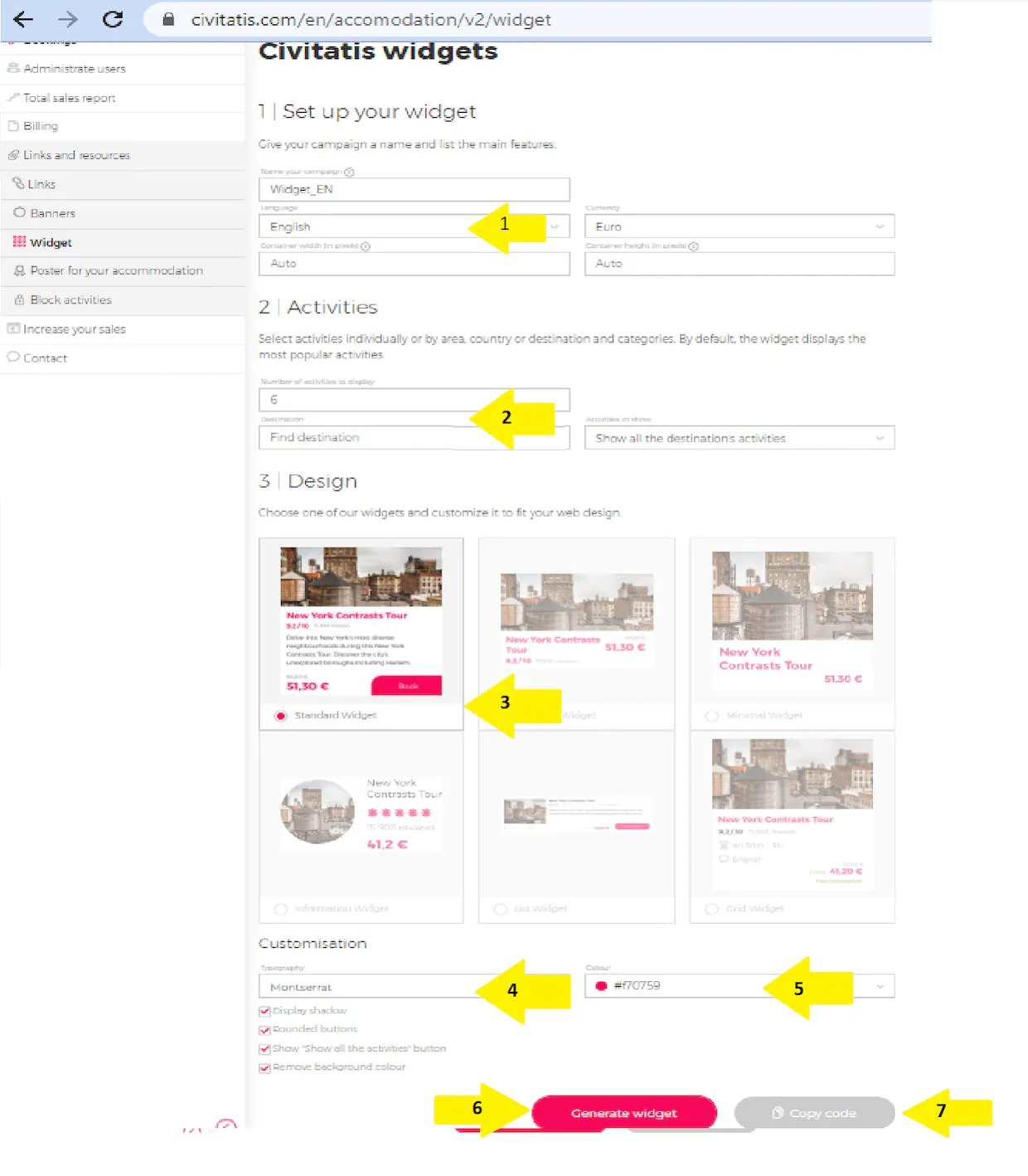
Here the steps:
Choose the language and the destination;
Choose the number of activities to show. We suggest a minimum of 6 and a maximum of 9.
Select the widget layout. However, we suggest you use the Standard one.
Choose the font style.
Choose the color of the widget.
For more information, do not hesitate to contact us!
🐙

