

If you want to sell your rooms with weekly or monthly rates, you will need to create a derived rate.
To create derived rates you will need to click on rooms/apartments > other actions > derived rates.
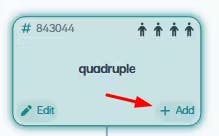
From this screen you will have to click on the + corresponding to the room to which you want to associate this rate:
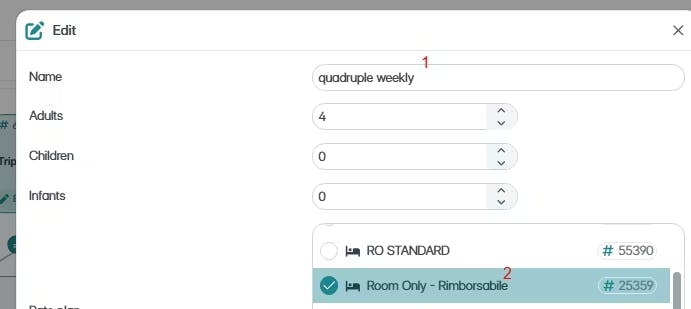
In the next window, you will have to rename the new rate, Ex: Quadruple weekly (1) and choose the rate plan you want to associate to this new rate (2)
Then you will have to chose the price rule you want to apply (3) and uncheck the Length of stay option (4)
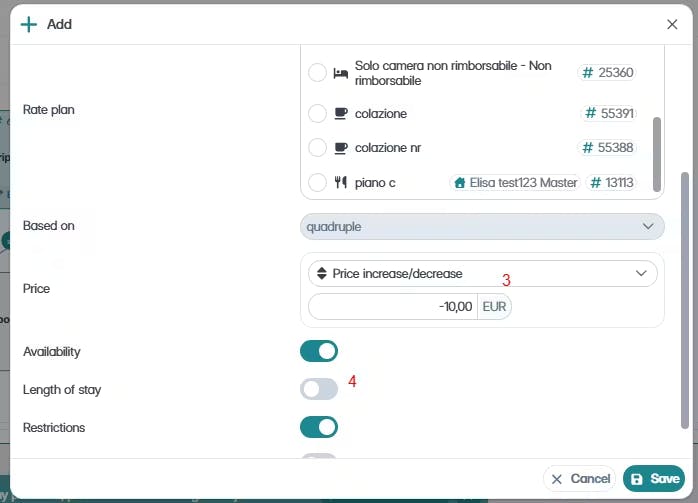
🙌 Deselecting this option in the case of weekly and monthly rates is very important, they should be set this way as these rates will have a dedicated minimum stay which should not be copied from the main rate.
Once the "weekly" derived rate has been created, you will need check the calendar and set the minimum stay rule.
By clicking on the advanced editor:

You can set the minimum stay rule for the rate you've just created:
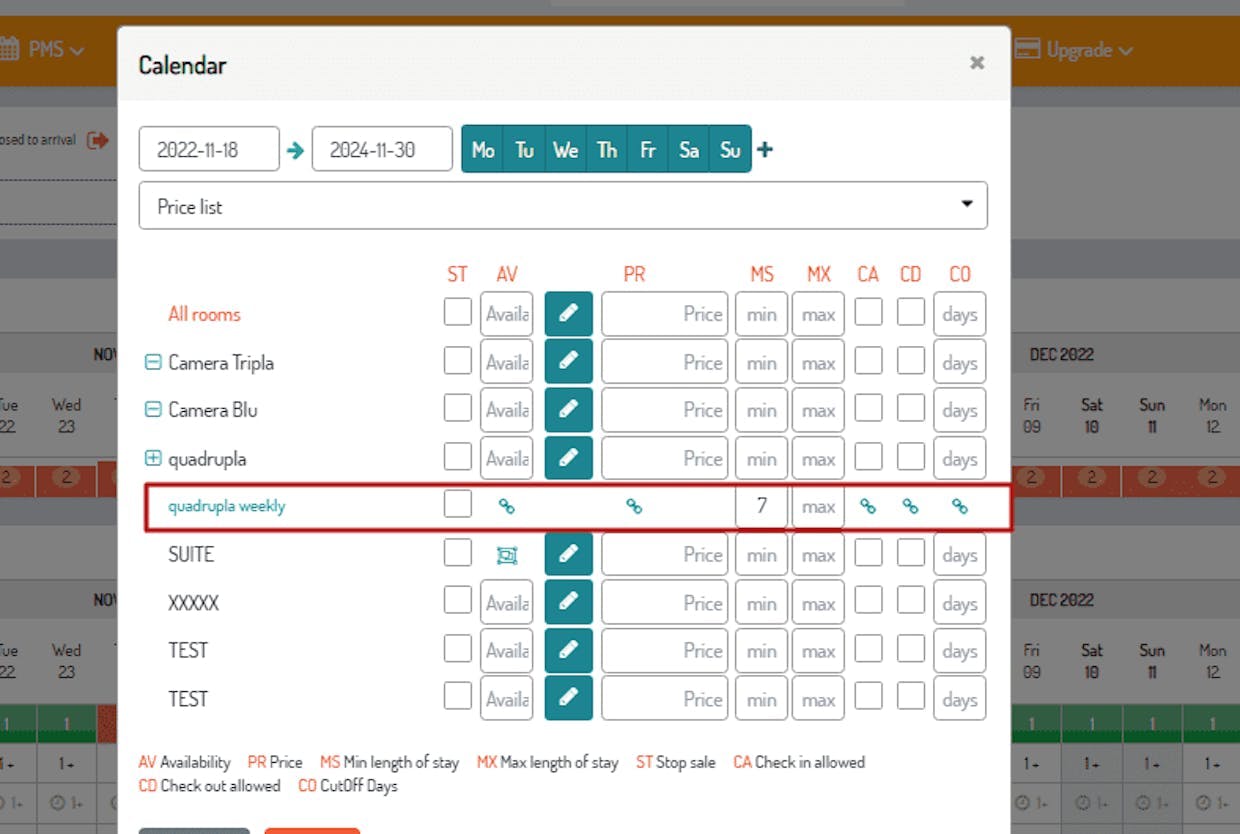
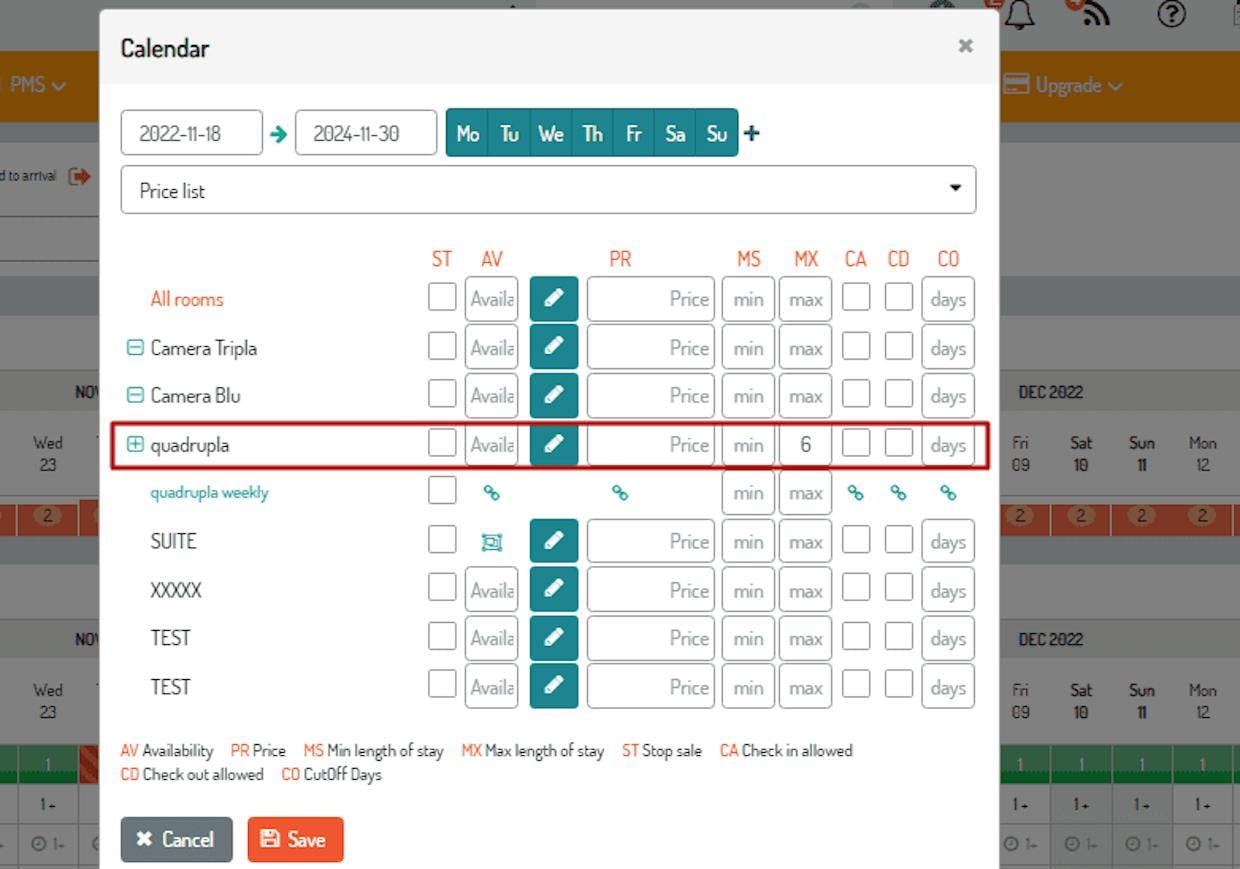
In order for the rates to appear correctly in the results of your booking engine, you will also need to change the maximum stays of the other rates.
Example: In my property I have a quadruple room with a standard rate and a weekly rate. I want that when a customer searches for a minimum of 7, only the weekly rate will appear. In this case I will have to apply the maximum stay to my standard rate like this:
⚠️ ATTENTION: If your property is connected to Airbnb, you will need to keep in mind that Airbnb works with listings and therefore does not require the connection in the mapping of all rates. In the case of weekly and/or monthly rates, you can create discounts directly in your listing.
Click HERE for the full article.
See you soon!
🐙

