

In the Marketing > Web Concierge section, you can manage the area related to your guests’ check-in by activating the options you find under the Web Check-in Management field.
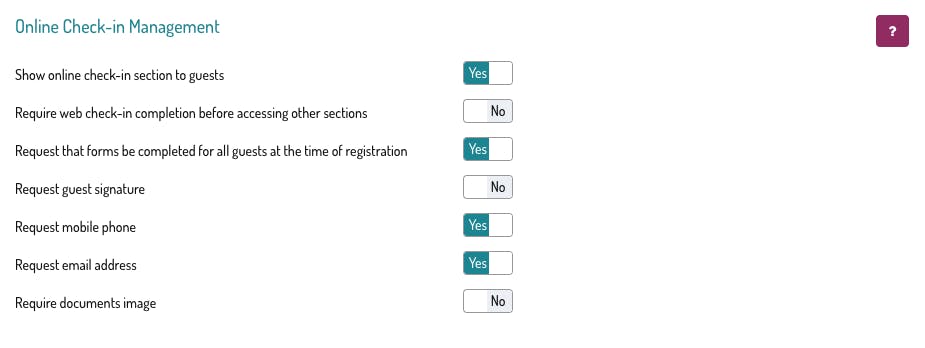
Show online check-in section to guests:
This option allows you to choose whether or not to display the section where guests can fill in their check-in details.
If you use an external app to request documents from your guests, you can deactivate this option.
Require web check-in completion before accessing other sections
By activating this option, your guests will access your web concierge directly on the page where they must enter the information for the guest registration forms.
They will not be able to access any other section of the web concierge until the data has been completed.
Request that forms be completed for all guests at the time of registration
By enabling this option, the system will ask guests to complete all the registration forms required for their reservation.
Request guest signatures
When enabled, your guests will be asked to sign the registration forms completed in the web concierge.
Request mobile number and request email address
If these options are active, this information will be requested from the main guest. It will also be displayed in the booking details, overwriting any other data previously entered, including for bookings coming from portals.
Require documents image
By enabling this option, guests will be required to upload photos of their documents when completing the online check-in.
❗ Warning → once saved, if the images are mandatory, it will no longer be possible to delete them or upload new ones.
If you activate the Web Concierge, your guest will view this section in the confirmation web page of the reservation👇

By clicking on the [Online Check-in] button, you can complete their personal data and those of their potential potrà completare i suoi dati anagrafici e quelli dei suoi eventuali travel companions:
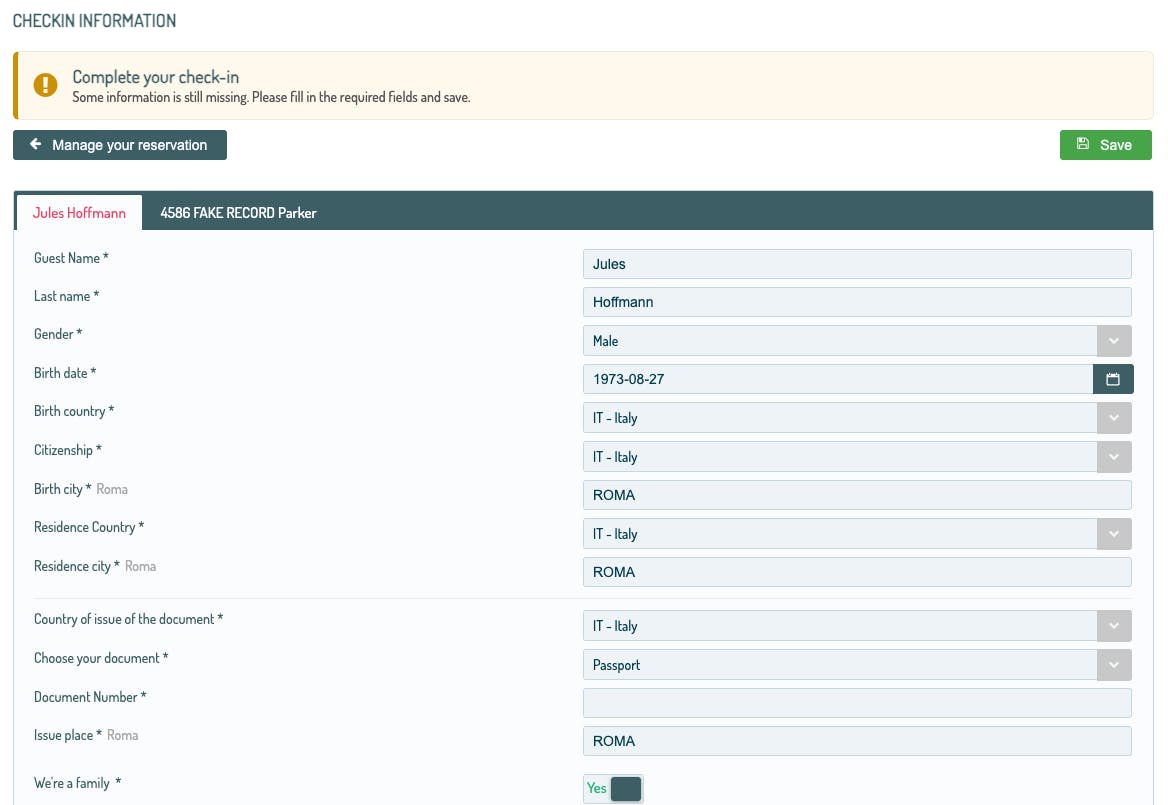
In this way, you will have all the customers' info before their arrival!
❗ Did you know that from this section you can also ask your customers to upload pictures of their documents? 🗽
Find out how, by reading the dedicated article!
Click HERE for the full article on the Web Concierge.
