

Follow these easy steps to set up Airbnb Listings on Request!
1- Access the Channel Manager section > click on the blue plug corresponding to Airbnb and check the listings linked to Octorate.

2- Access the Rooms section > click on Edit against the rate plan linked to Airbnb, then select this entry:

3- Tick the Airbnb symbol
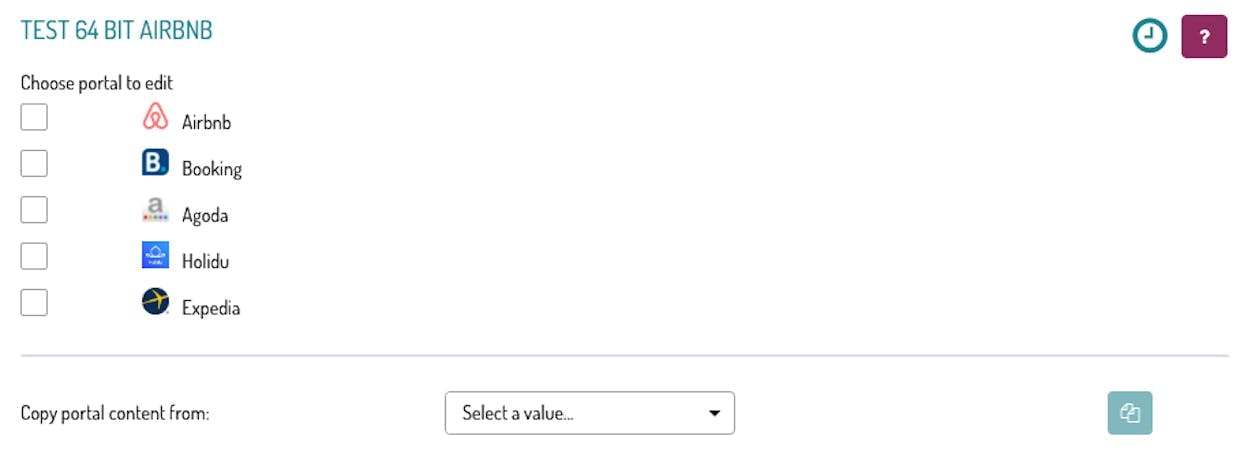
4- Import all the info from the portal, by clicking on this button

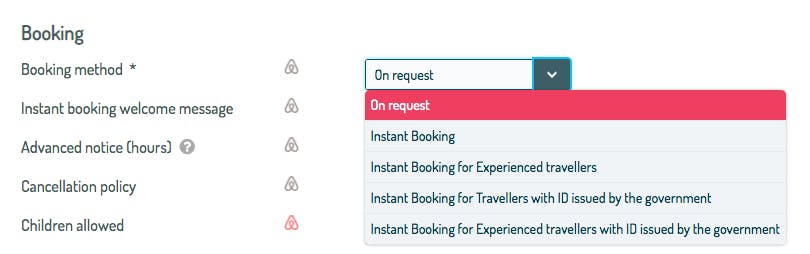
5- In the Booking section, from the drop-down menu in Booking Method, choose the On request entry.
6- then Save and Send to portals !

When a guest makes a reservation request on Airbnb, the property will receive an email alert and the reservation will appear pending confirmation.
Availability will not be decreased on the calendar until the reservation is confirmed by the property.
The structure therefore has the opportunity to accept the reservation or reject it within 48 hours, once this limit is exceeded, the reservation will be automatically canceled.
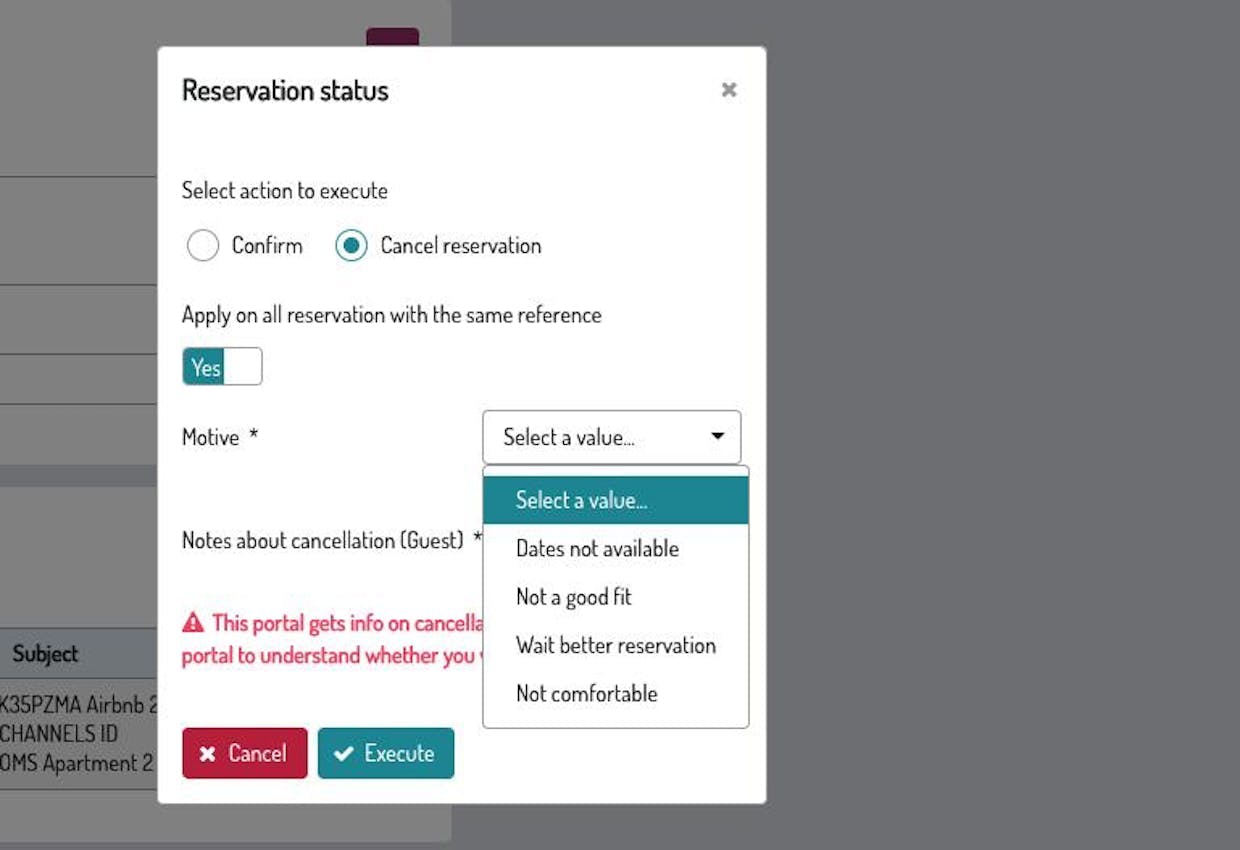
If the structure wants to refuse the request, it must give reasons:
---
Talk to you soon!
🐙

