


Accepting payments via PayPal on your Booking Engine is simple and only takes a few steps. This guide explains how to obtain the necessary credentials from PayPal and how to enter them in your Octorate account.
Your credentials are obtained directly from the PayPal Developer Dashboard. Here's how:
Go to developer.paypal.com and click Log in to Dashboard. Sign in with your PayPal account or create a new one.
Set your account to Live mode.
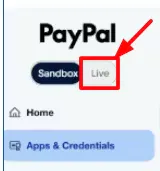
From the menu, select Apps & Credentials.
In the REST API apps section, you will find a default application called Default Application. If you prefer to create a dedicated project, click Create App and give it a name.
Open the application and copy the Client ID and Client Secret. Keep them handy for the next step.
Once you have your PayPal data:
Log in to your Octorate account.
From the main menu, go to Booking Engine → Payment Settings.
Select PayPal as the payment method.
Paste the Client ID and Client Secret into the appropriate fields.
Save the settings.
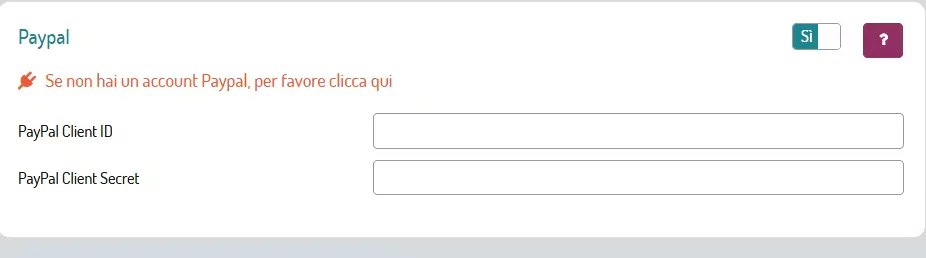
From this moment on, your guests will be able to choose PayPal as a payment method directly from your Booking Engine.
⚠️ Important: When your guests are booking from your website and choose PayPal as the payment method, they will have 30 minutes to complete the payment. After this time, the system will automatically cancel the reservation.
🐙
