


Octorate allows users to easily cancel bookings through the web interface and the app.
Manual cancellation of a direct booking
To manually delete a booking on the Octorate web interface:
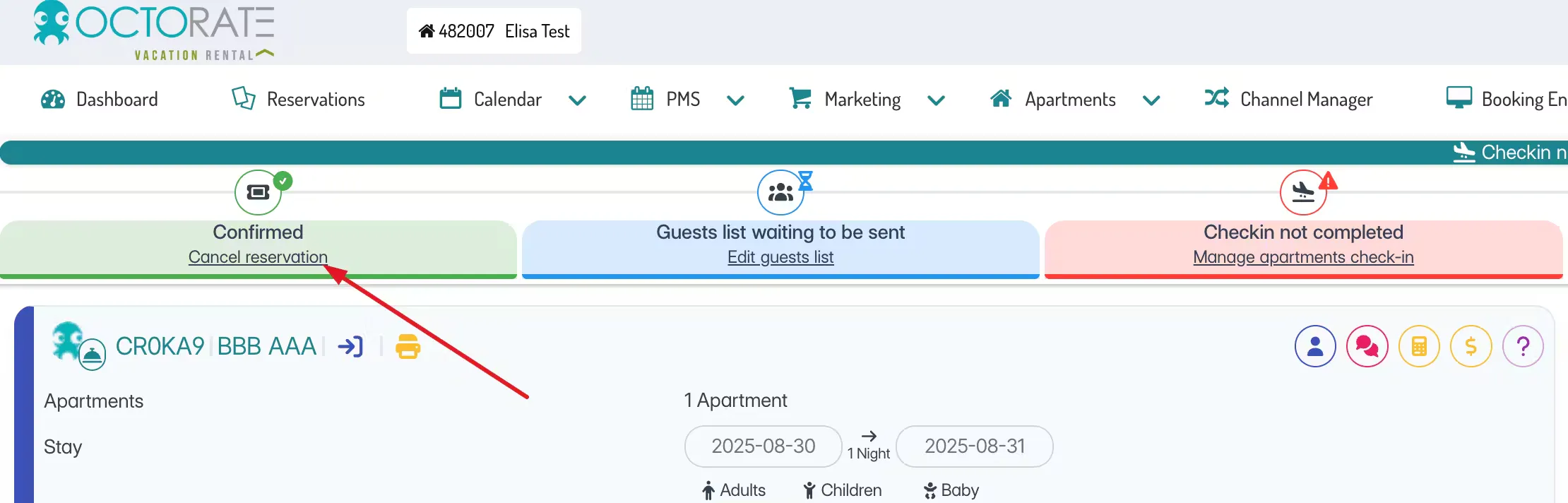
Log into Octorate and locate the booking you wish to cancel.
Access the booking details page.
Click the "Cancel booking" button, located in the upper left part of the screen.
Cancelling a booking from an OTA
It is not possible to cancel a booking from an external OTA through Octorate.
To delete it, you need to access the portal and delete the booking from there. If there is a booking that has been cancelled on an external portal but is still confirmed on Octorate, contact us via chat and an operator will carry out the necessary checks.
Mobile app version specifications
If you are using the Octorate mobile app (Octochannel):
Enter the details of the booking to be cancelled.
Click the "Cancel booking" button, visible in the upper left part of the screen.
